No streaks. No guilt. No "you missed it."
Plans here bend when your day does - nothing keeps score.
Skip a step and it reads skipped - not failed, not missed. Run long, or stop halfway through, and there is still nothing to catch up on tomorrow.
the routine app for people who quit routine apps.
Coming soon to the App Store
Plans here bend when your day does - nothing keeps score.
Skip a step and it reads skipped - not failed, not missed. Run long, or stop halfway through, and there is still nothing to catch up on tomorrow.
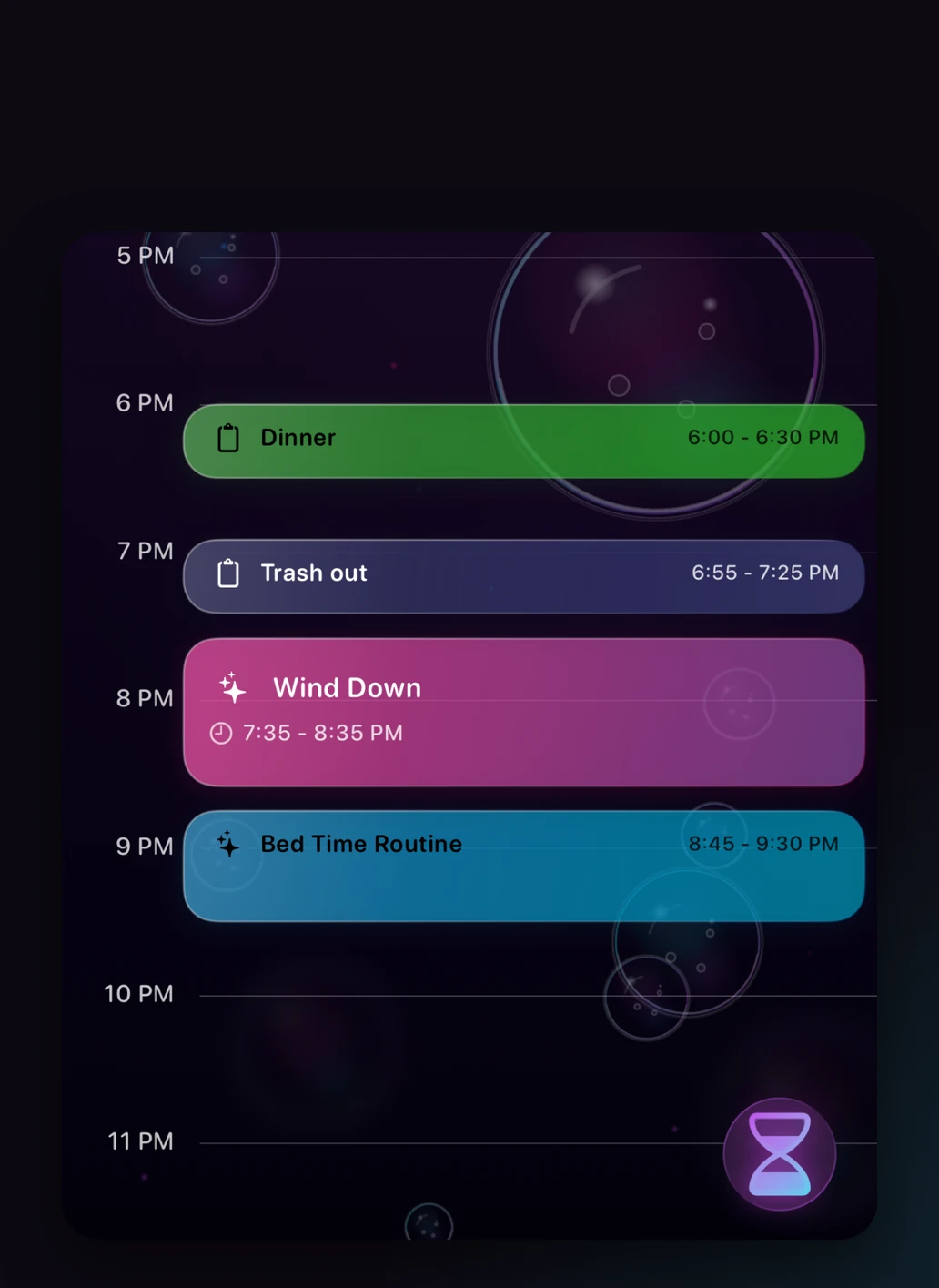
Your real calendar and your routines, on one timeline.
Move an evening routine to 8, then to 9, and see how it sits against the rest of your evening. Putting something here fires no notification and starts no timer - the day is yours to look at first.
One sentence in. A routine out.
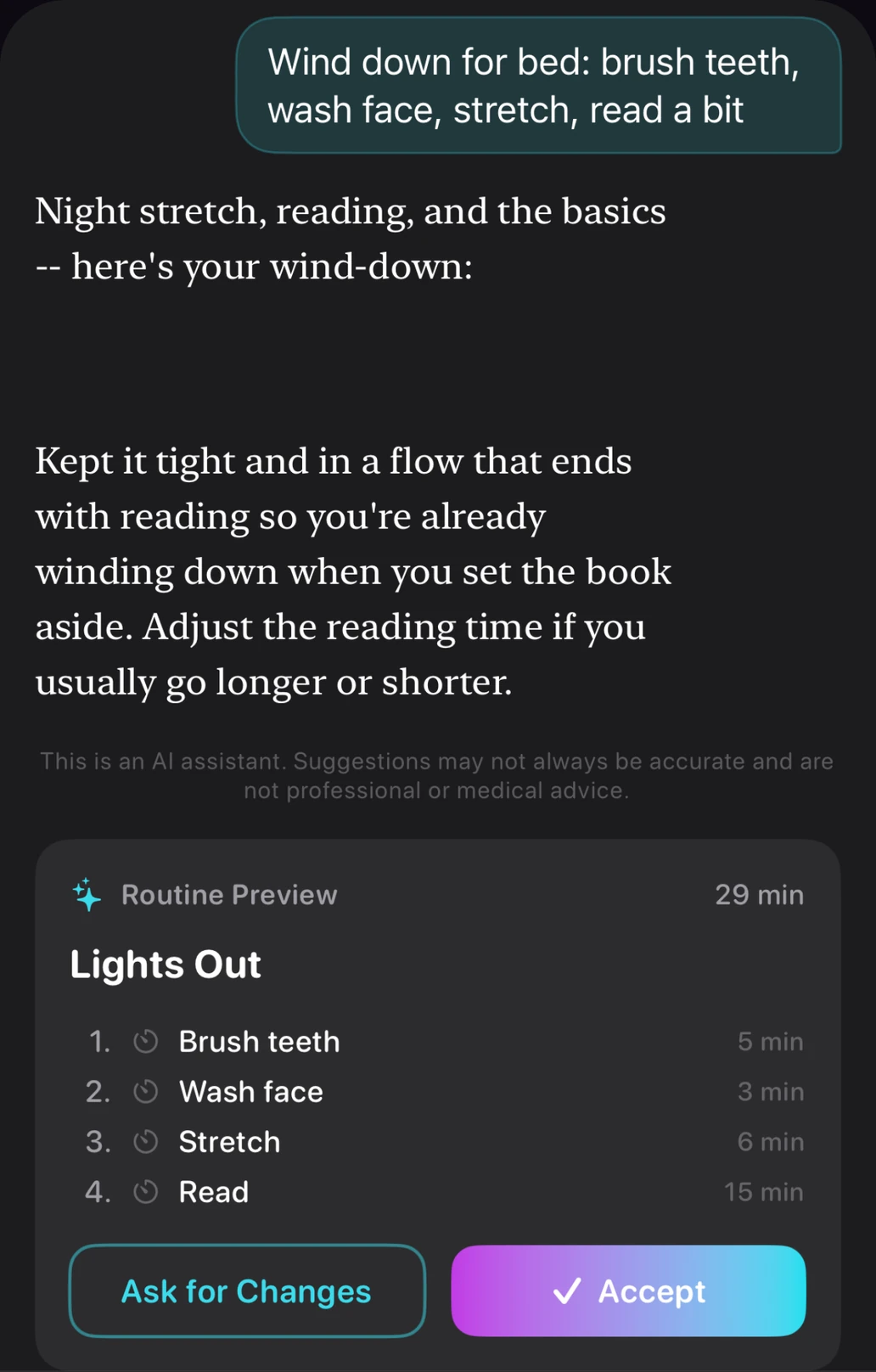
Type it the way you would say it out loud. What comes back is a real routine - named, with steps and timings you can send back for changes, and nothing saved until you accept it.
Catch it now. Deal with it when you're ready.
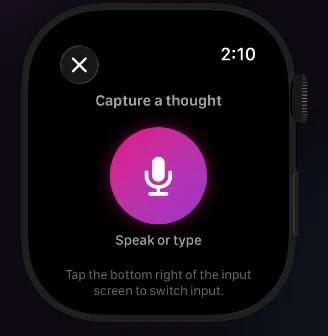
Getting it down takes a few seconds - typed, spoken, or photographed. It sits on the board in the order it arrived until you have the room for it.
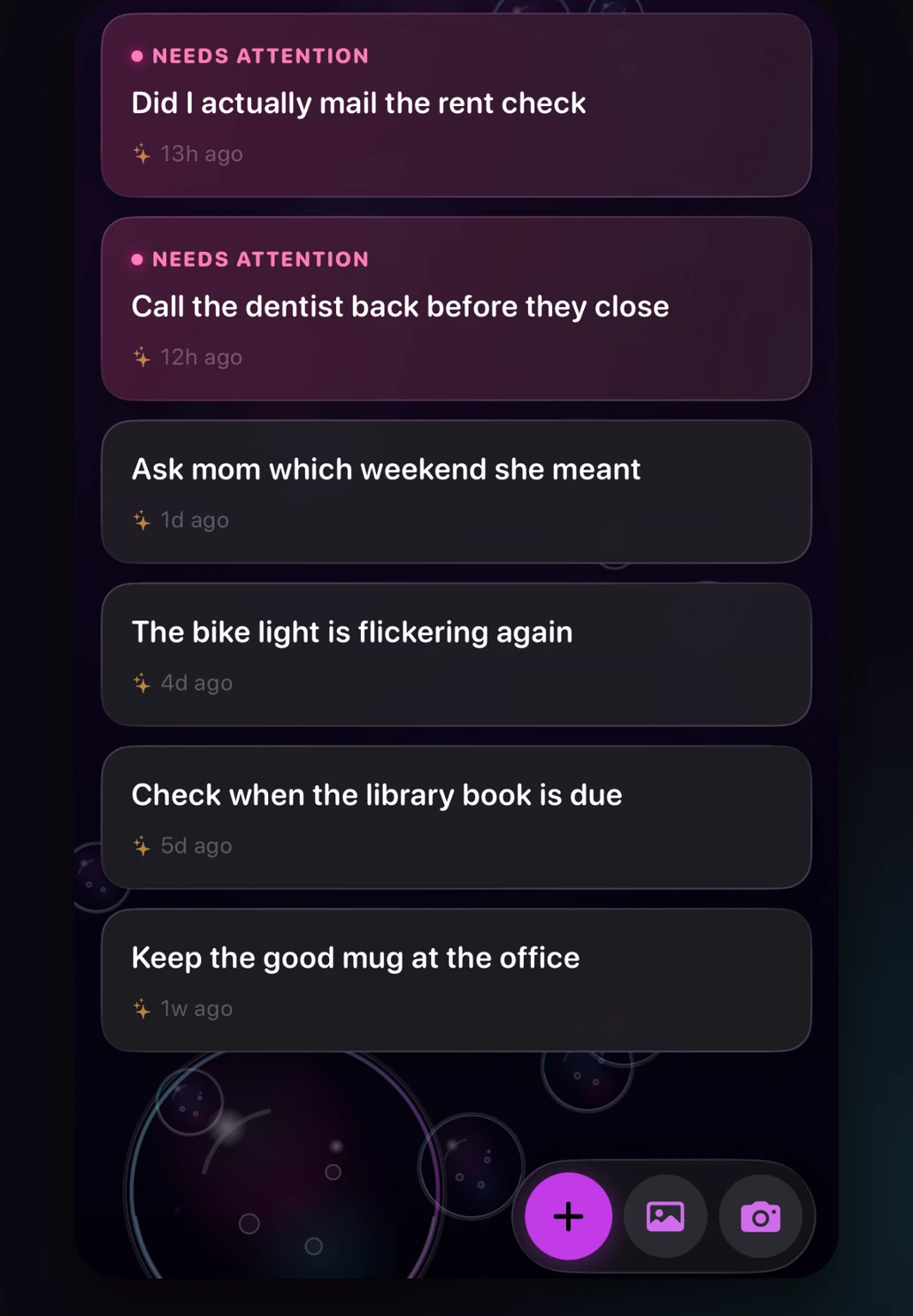
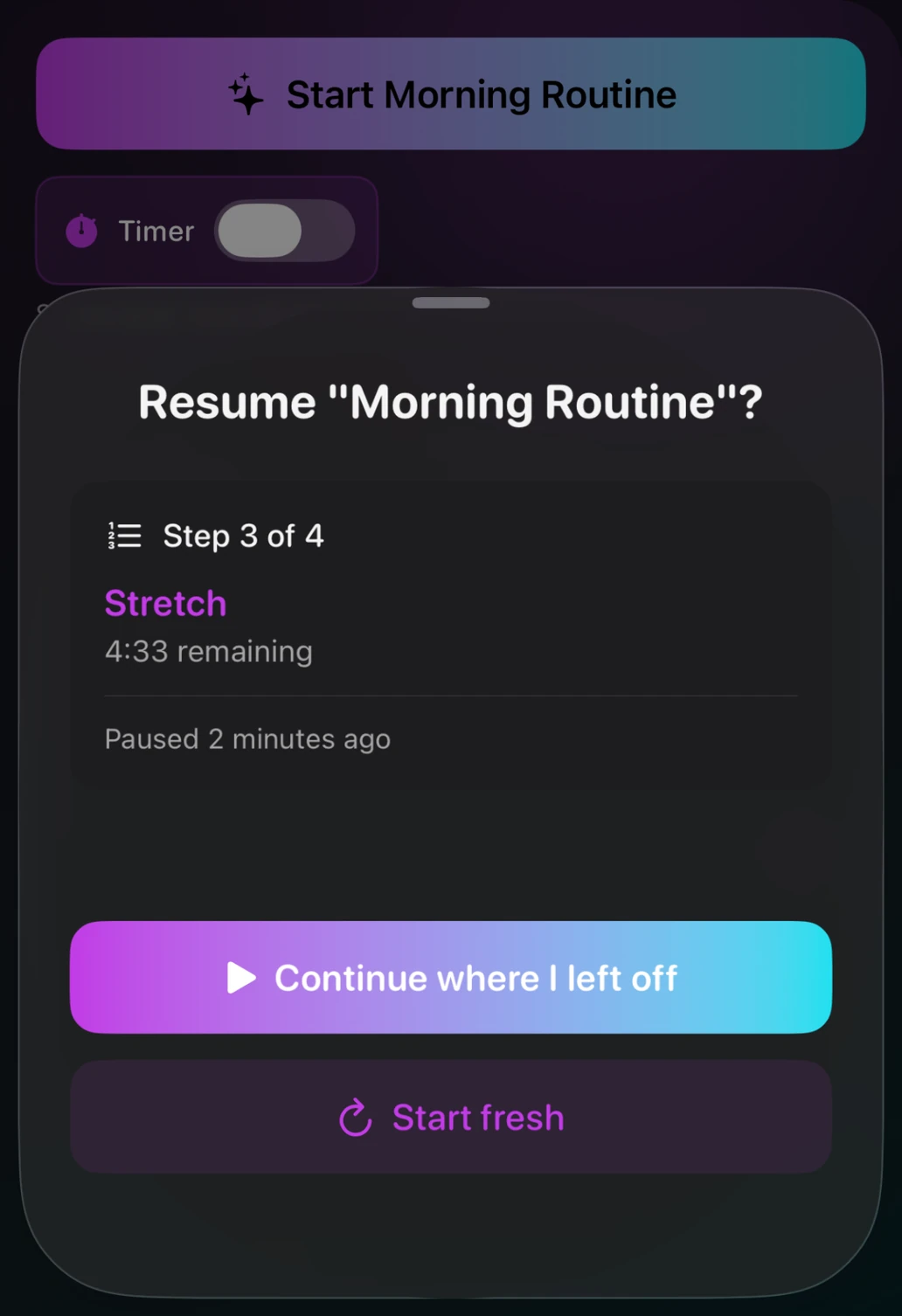
It waits. Kindly.
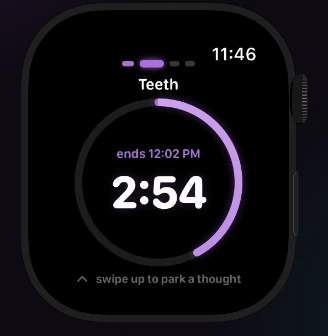
Back out, switch apps, or close it entirely - reopening offers the exact step you were on, with the time still on it. And when you do end a run for good, the app says so plainly: Nothing gets marked done.
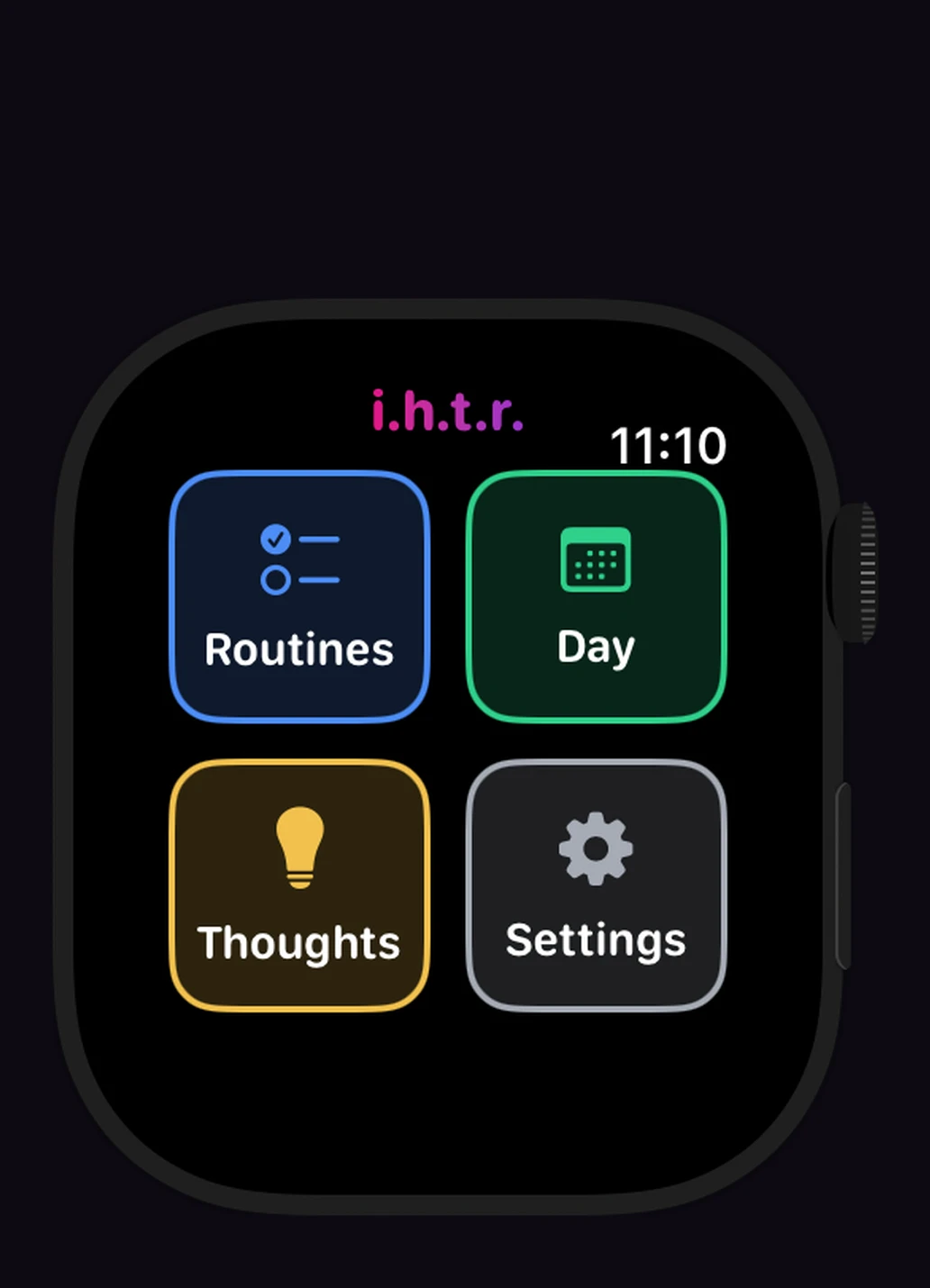
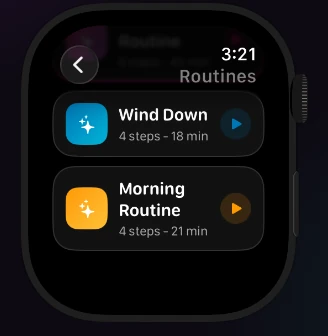
The whole routine, from your wrist.
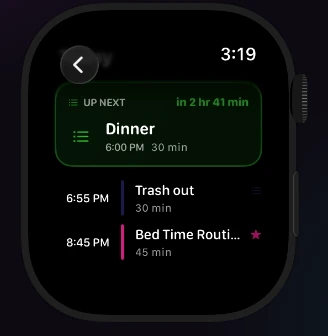
The Watch app runs routines on its own - start one on your iPhone and finish it on your wrist, or the other way round.
AI requests pass through our server to Claude and back — never stored there, never used to build a profile of you. Read the whole policy — it's short and actually readable.
Pricing
Real free tier — not a trial. Upgrade when you're ready. Cancel anytime.
Outside the US, Apple charges the equivalent in your local currency and shows the exact price before you subscribe.
We're finishing the last details. Want to know when it's out? Send us a note.